This post is also available in: Nederlands (Dutch) Français (French) Deutsch (German) Italiano (Italian) polski (Polish)
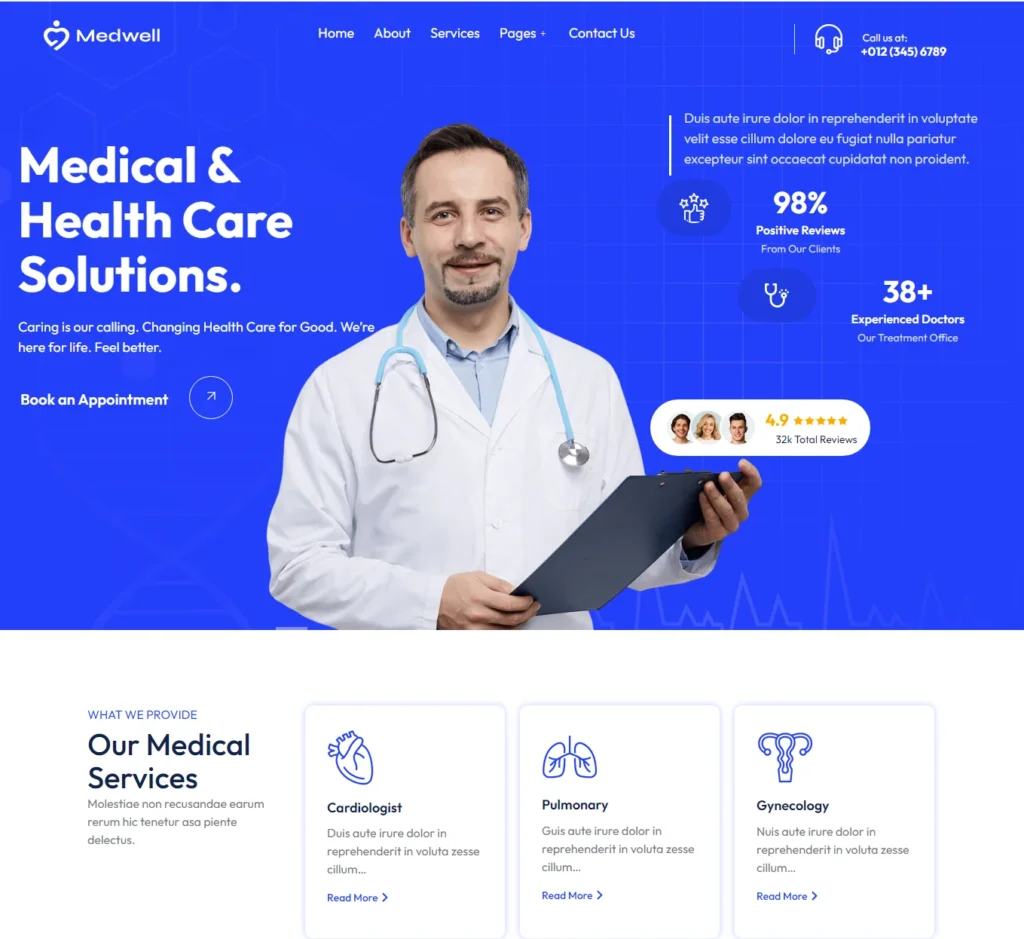
Your website is usually the first thing a patient sees of your clinic. It should look good, open quickly, and make booking easy. The right medical website templates can save you months of work and a lot of stress. And you don’t need to pay a developer for every tiny change, since you can start with a ready-made design. healthcare WordPress themes already have space for your services, doctors, appointments, and patient reviews. That means clinics, dentists, and wellness centres can go live sooner and get back to caring for people. Phones matter too, because most people search for a doctor on their phone, so a good theme has to work well there. At Themeholt, our themes are priced fairly and are easy to edit, even if tech isn’t your thing. In this guide, we cover four things that make building a medical website simpler. By the end, you’ll know exactly what to look for before you buy.
Why Medical Website Templates Need Purpose-Built Design
A basic template often doesn’t fit a clinic. Medical WordPress Themes are built for what patients actually do. They look for a doctor, then they book a visit. healthcare WordPress themes help visitors see what to click next. Take a look around the store page and you’ll find layouts for dentists, family clinics, and specialists.
- Looks Trustworthy: Clean spacing, soft colours, and text that’s easy to read. People feel good about your clinic the moment the page opens.
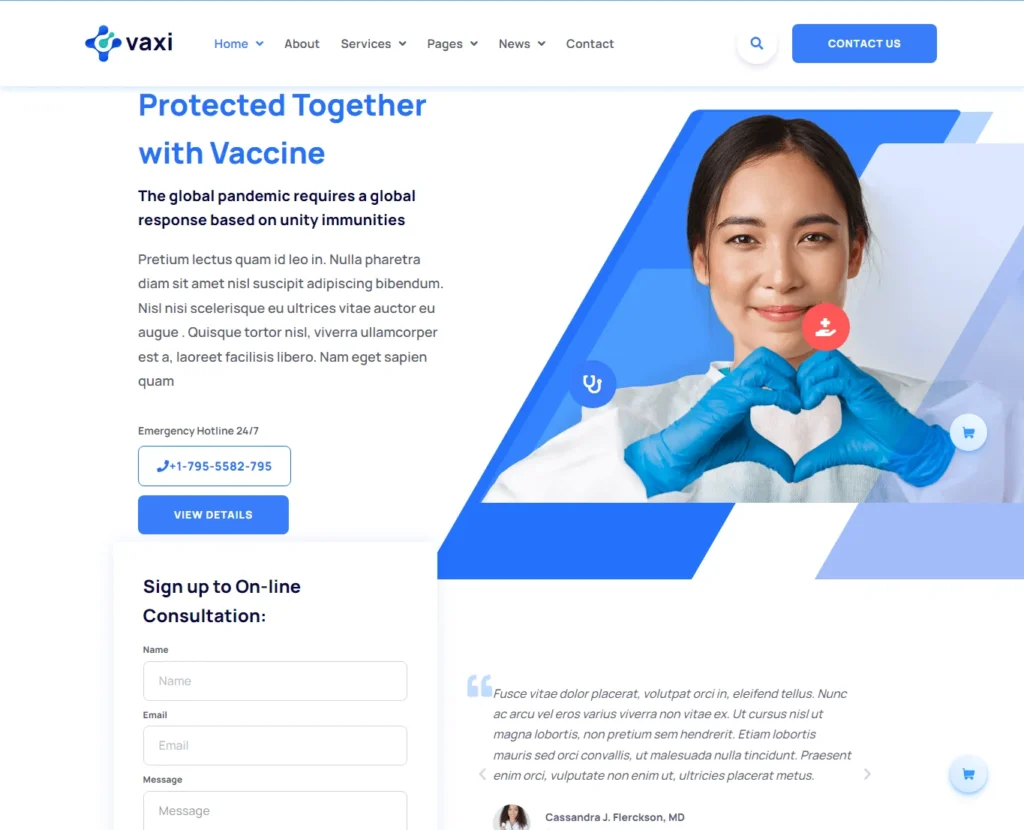
- Easy Booking: Put a big button on the page and add a short contact form. Patients can book in just a few taps.
- Meet the Team: Show your doctors, what they’ve studied, and a few photos. New patients feel better when they can see who they’ll meet.
- Works on Phones: Healthcare WordPress themes fit any phone or tablet by themselves. Patients can read about you and book from the couch.
- Loads Quickly: Light pages open fast, so people don’t leave and Google likes your site more. A simple landing page can also help you get more people to call or book.

Easy Customisation With Page Builders
You don’t need to know code to change your opening hours or add a new service. Most medical website templates work with drag-and-drop builders. The Elementor kits from Themeholt let you change every part of your page by just clicking on it.
- Drag and Drop: Move text, pictures, and sections around with Elementor Pro. You see the change right away.
- Ready-Made Pages: Home, about, services, and contact pages are already done for you. You can go live in a few days, not weeks.
- Your Own Colours: Pick your colours and fonts once. The whole site then matches your clinic’s logo.
- Handy Extras: Add price tables, maps, counters, and sliders. They help you show your treatments, your fees, and where to find you.
- Copy and Reuse: With healthcare WordPress themes, you can copy a section and change it a little. It saves a lot of time when a new doctor or department joins.
Features That Help Patients Take Action
A nice design won’t bring in patients by itself. The best medical website templates mix good looks with tools that actually help. Themeholt puts these together for clinics big and small, and the theme package is there if you want more than one design to pick from.
- Booking Forms: Patients can ask for an appointment at any time, even at night. Your front desk gets fewer calls.
- Google Maps: Show where your clinic is and how to get there. Nobody has to wonder where to go.
- Patient Reviews: When people read what others say about you, they trust you more. It’s easier for them to pick your clinic.
- Show Your Services: Medical website templates let you list things like dental care, shots, or check-ups. Use small icons and a few simple words.
- Easy to Reach: Healthcare WordPress themes with a simple contact area let patients ask questions fast. Our customer support team can also help you set it all up.
Boosting Visibility and Long-Term Value
A pretty website won’t help if nobody can find it. Use medical website templates with a WordPress SEO plugin and you get a better shot at showing up on Google. Themeholt also has simple FAQs, so you know what you’re getting before you buy.
- Easy for Google to Read: Neat code and clear headings help Google see what your clinic does. Yoast plugins make this part a lot easier.
- Found Close to Home: healthcare WordPress themes with well-set pages can help people nearby find you when they search for a doctor or dentist.
- Stays Up to Date: A theme that gets updates keeps working with WordPress. That means fewer errors and fewer safety problems later.
- No Hidden Surprises: Short, clear terms of service and a refund policy let you buy without worry.
- Room to Grow: Medical website templates can grow as your clinic grows. Add new pages, doctors, or services without starting over.
Frequently Asked Questions
- Do I need to know coding to build a clinic website?
Nope. Most medical themes come with a drag-and-drop builder like Elementor Pro. Click on any text or picture, change it, and you see the update straight away. - What should I look for when picking healthcare WordPress themes for my clinic?
Check that it looks clean, loads quickly, and fits well on a phone. Also see if it has a booking form, a map, and space for your doctors and services. The store lets you try a few designs side by side before you pick one. - Can one theme work for a dentist and a family clinic?
Mostly, yes. Both need the same basics: a services page, your team, reviews, and a way to get in touch. Swap in your own photos, words, and colours, and it feels like your clinic. - Will a ready-made theme help my site show up on Google?
A little, but it won’t do the whole job. Clean code gives you a head start. After that, add an SEO plugin and write clear page titles and short descriptions for each page. - What if I get stuck or want my money back?
No stress. Our support team is happy to help with any setup question. Just read the refund policy before you buy, so you know how it works.
Conclusion
Most people check a clinic’s website before they ever call. So make it clean, quick to load, and easy to book from. A good medical WordPress theme helps with all of that. You get ready-made pages, a simple editor where you just click and drag, a booking form, a map, and a spot for patient reviews. No coding needed, and no need to pay a developer each time you want a small fix. Keep the theme updated and add an SEO plugin, and the site can grow with your clinic. Pick a look that feels like your clinic, then get back to what you do best, which is looking after your patients. Need help with your clinic website? Contact the Themeholt team today. They’ll help you choose a theme and set it up.


